
Indian River VINELink Route
The local path starts at IRCSO. Its Inmate Search page feeds into the Florida VINELink person search. This is the strongest route into the statewide system. Florida VINE covers county jail inmates. It also lists inmates held by the Florida Department of Corrections. Offenders under FDC supervision appear there too. The service is free and confidential, per the statewide information sheet. Reach it online, through the app, or by phone at 1-877-846-3435. TTY users can call 1-866-847-1298. Timing and displayed fields rest with the participating source. Treat each result as a status snapshot rather than a booking history. A blank result simply means VINE has no match on file.
Check an Indian River Inmate
Search with the most exact identifier you have. A booking or inmate number beats a name, since it rules out another inmate who shares it.
- Open Florida VINELink and select the person or offender search.
- Choose Florida and search by the name or identifier accepted by the live interface.
- Compare all available identifying fields when several people match.
- Open the correct result and read custody status, location, and any supplied case or release detail.
- Compare a new or uncertain result with the official IRCSO roster.
Suspect a county booking today? The Daily Arrest Report is the better first stop.
Florida VINELink Search Screen
The Florida person-search screen displays the official state route, with no private data entered.
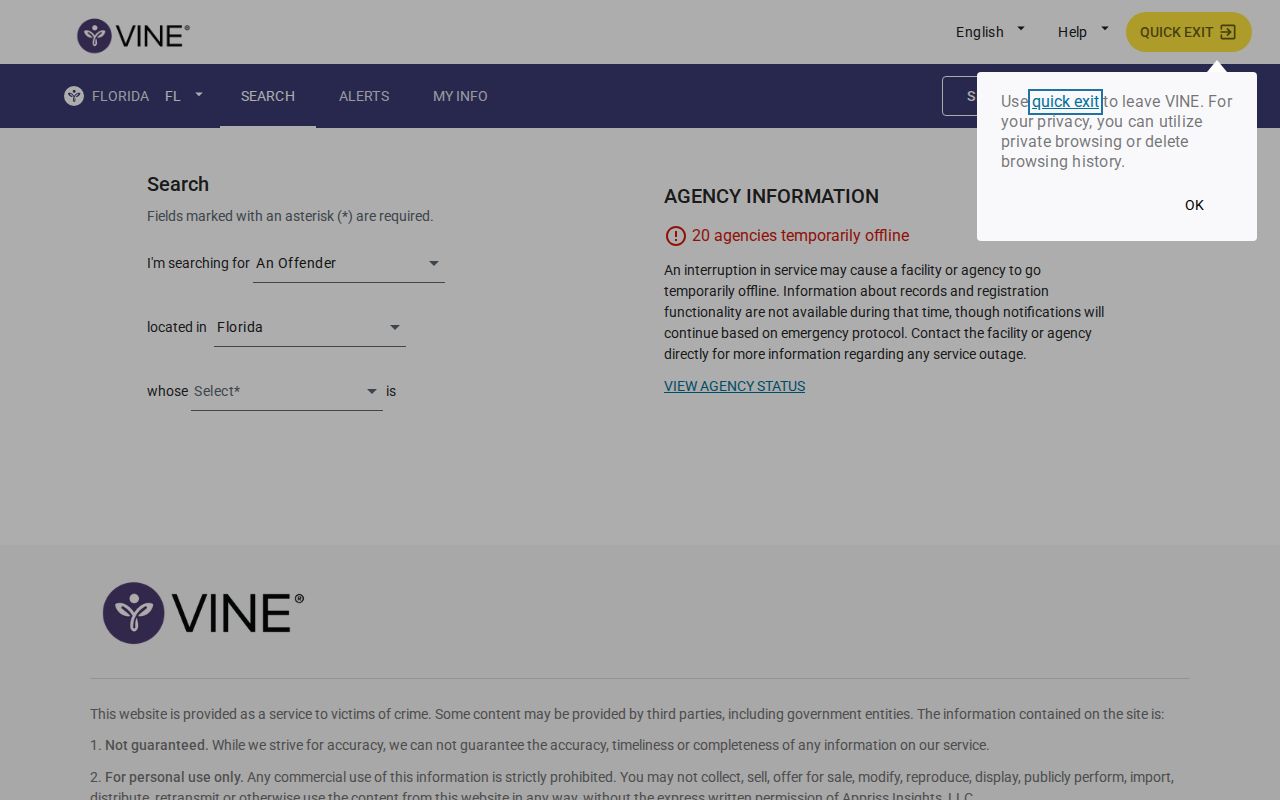
Screens change over time. Follow the current labels rather than treating any image as a live custody answer.
Indian River VINELink Fields
Which fields appear depends on the record feeding VINE: jail, FDC, or supervision. The service exists for custody notice, not booking photos.
| Information | How to read it |
|---|---|
| Name or identifier | Helps match one person; compare all supplied identifiers. |
| Custody status | Reports the status currently supplied to VINE. |
| Location | Identifies a participating jail or corrections placement when available. |
| Case or charge detail | May appear when the source record supplies it; it remains an charge unless adjudicated. |
| Release information | May show a reported release event or related status. |
| Notification option | Allows registration when offered for the selected record. |
For booking photos and county intake detail, go to IRCSO. For a court outcome, use the Indian River County Clerk, since VINE is not a case docket.
Register Indian River Custody Alerts
A one-time search needs no registration. Alerts are different. Sign up and the live flow shows the channels offered for that record.
- Find and verify the correct person before selecting registration.
- Choose phone call, text, email, mobile-app, or TTY options shown by the service.
- For phone registration, create the four-digit PIN described by Florida VINE.
- Keep the PIN private because it confirms receipt of automated calls.
- Update changed contact information through VINELink or the hotline.
Florida VINE can send notices for release, transfer, escape, death, or supervision events, when the source supports them. Unanswered calls may repeat for twenty-four to forty-eight hours. Skip phone numbers that ring only to a switchboard.
VINELink Registration Interface
The captured VINELink registration route illustrates where notification setup begins.
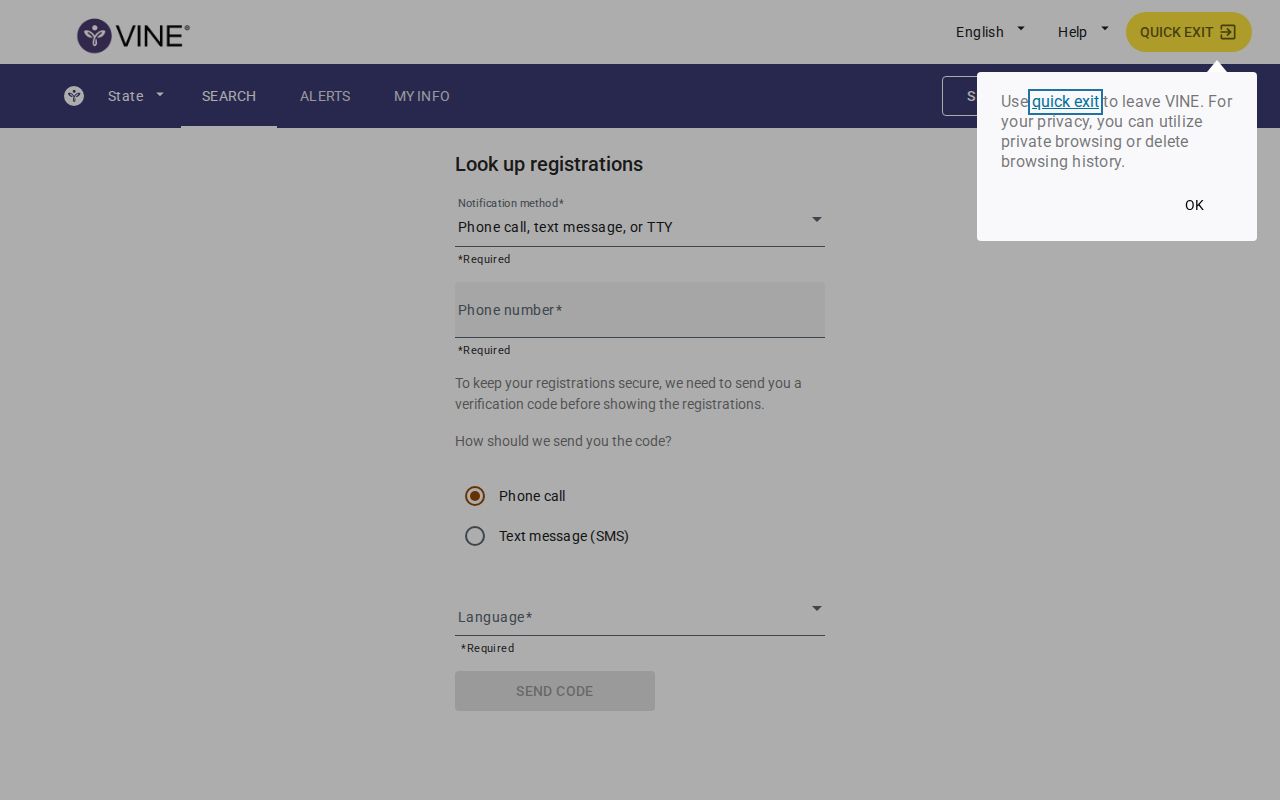
Follow the live prompts, confirm the right record, and guard the PIN and contact details you enter.
Indian River Alert Limits
Indian River County has no separate SAVIN service. Florida VINE is the statewide route here. Even so, it cannot cover every custody situation. A booking still in intake belongs to the sheriff's system, a state prison sentence belongs to the FDC offender search, federal custody needs the Bureau of Prisons locator, and immigration detention needs the ICE locator.
No match on VINE? Check spelling, allow time for processing, and call the likely custodian. A city arrest can end in county jail, a citation, release, hospital care, or another agency's hold. One search cannot trace every path.
Note: VINELink is a custody-notification tool, not a public booking-photo collection or a complete nationwide detention index.
Florida VINE and FDC Notices
The Florida Department of Corrections victim-notification page draws a line worth knowing. A public VINE registration does not carry over to the FDC Victim Services Unit. An FDC request goes into that unit's own database. Staff can feed it to VINE if asked. Victims seeking case support should file their request through FDC directly. VINE registration is confidential on paper. Still, keep contact details current and follow any safety prompts the service gives. The Indian River Sheriff FL app is a news and tips channel only. The sheriff's office lists no booking app function there. So it does not replace VINE alerts or the inmate roster.
Verify Indian River Custody
What if VINE and IRCSO disagree? Check the timestamp and the custody system behind each result. IRCSO searches run by booking number, name, booking date, release date, or date of birth. Then call the jail at (772) 569-6700 or Records at (772) 978-6215. A new booking, release, transfer, or correction takes time to spread across systems. For the court outcome, turn to the Indian River County Clerk docket. Then see Indian River County recent arrests. That page holds the full official record chain.
Separate Indian River Custody States
Keep custody states separate. Newly booked means intake is still working through local systems. In custody reflects the placement reported at that moment. Released signals departure from that placement, nothing more. Transferred points to another facility. A person sentenced into Florida Department of Corrections custody moves to the state offender network, not the county jail roster.
Federal and immigration custody each use their own locators. A move into federal custody can end the value of searching IRCSO alone, and ICE detention runs on a separate system. Name the agency holding the person before reading a blank Florida VINE result as final, then use the locator built for that custody system.
Use Indian River Alerts Safely
Alerts help, but they are not a safety plan on their own. Automated data can run late or go dark for a while. So keep the VINE hotline handy. Also hold the current contact for the facility holding the person. Any immediate danger belongs with 911. Florida VINE stresses this point. The Indian River Sheriff FL app says plainly that it is not an emergency tool. Its news feed and tips functions sit apart from custody alerts entirely.
Guard your phone PIN. That code confirms you received an automated call. Keep it private. If your email or number changes, update it through VINELink or the hotline. Florida's information sheet warns against a number that rings to a switchboard. Miss a call, and notices can keep coming for twenty-four to forty-eight hours. The timing depends on the event and how the system behaves.
A search that turns up several matches calls for a slow, careful look. Check every identifier the live interface shows. Never pick a record on name alone. When nothing matches cleanly, go back to IRCSO for the booking number. You can also call the facility directly. Register with VINELink only after the match is verified, so notices track the right person.
Public Record Search
Sponsored Results